I was going to try this too before selling it but they straight have that shit locked down to an insane degree. No way that I could find to jailbreak it in anyway.
DanceMomsSavedMe
joined 1 month ago
Yeah when they raised the gamepass price from $20 to $30 I sold my XSX. PlayStation has always been better as far as consoles go anyway now I just rock my PC and for any invasive kernal level anti cheat that won't work on Linux (thankfully) I just get those for PlayStation.
I always hated Xbox but they actually got me to buy one of their consoles simply because the game pass used to be such a good deal. And they even fucked that up.
Won't be long and they will not make anymore consoles. Or just pay to put the Xbox branding on a PC which is what they are doing with the handheld coming out.
I've looked around but just haven't found many viable options for some I know that Alienware made one awhile back but no longer do it looks like the poster that replied to you on this comment though found a pretty sweet deal which is awesome. Just smaller than what I would be wanting.
I want one that's like 55"- 65" 120hz and has a display port and I haven't been able to find a single one they're all TVs full of spyware and no displayport options. (I have my current tv blocked on the router level from the internet)
I'd even just settle for a smart tv as long as it just had a display port. I might just have to switch to a monitor soon to get the most of my system. I would no joke be willing to save up and pay around 3K for a 55" to 65" monitor with 120hz and a displayport with no internet access. But they just don't seem to exist from what I've seen.
Edit: Just now saw the answer in your comment above that's a huge bummer damn the HDMI Forum but thank you so much for the answer!
I havent seen a setting for it but on this tv if you hold down the play button it opens a game mode taskbar that says the resolution if HDR is enabled and if VRR is on or off.
On PS you can set the settings on the playstation itself to automatically use VRR when available so when I'm not running a game it says VRR off on that game mode bar that the tv pulls up but when I start a game it automatically switches it on and says VRR On on the game mode taskbar.
I definitely did because I was super hesitant about it too but yes I will probably just direct most of my questions here and other forums in the future.
I think it may be because I had installed the steam flatpak beforehand I did doa full delete of it but maybe something in this file didn't get cleared?
I'm definitely not the most experienced Linux user yet so I don't even really know what I would be looking for that would be suspicious or not correct in that file
Thank you!
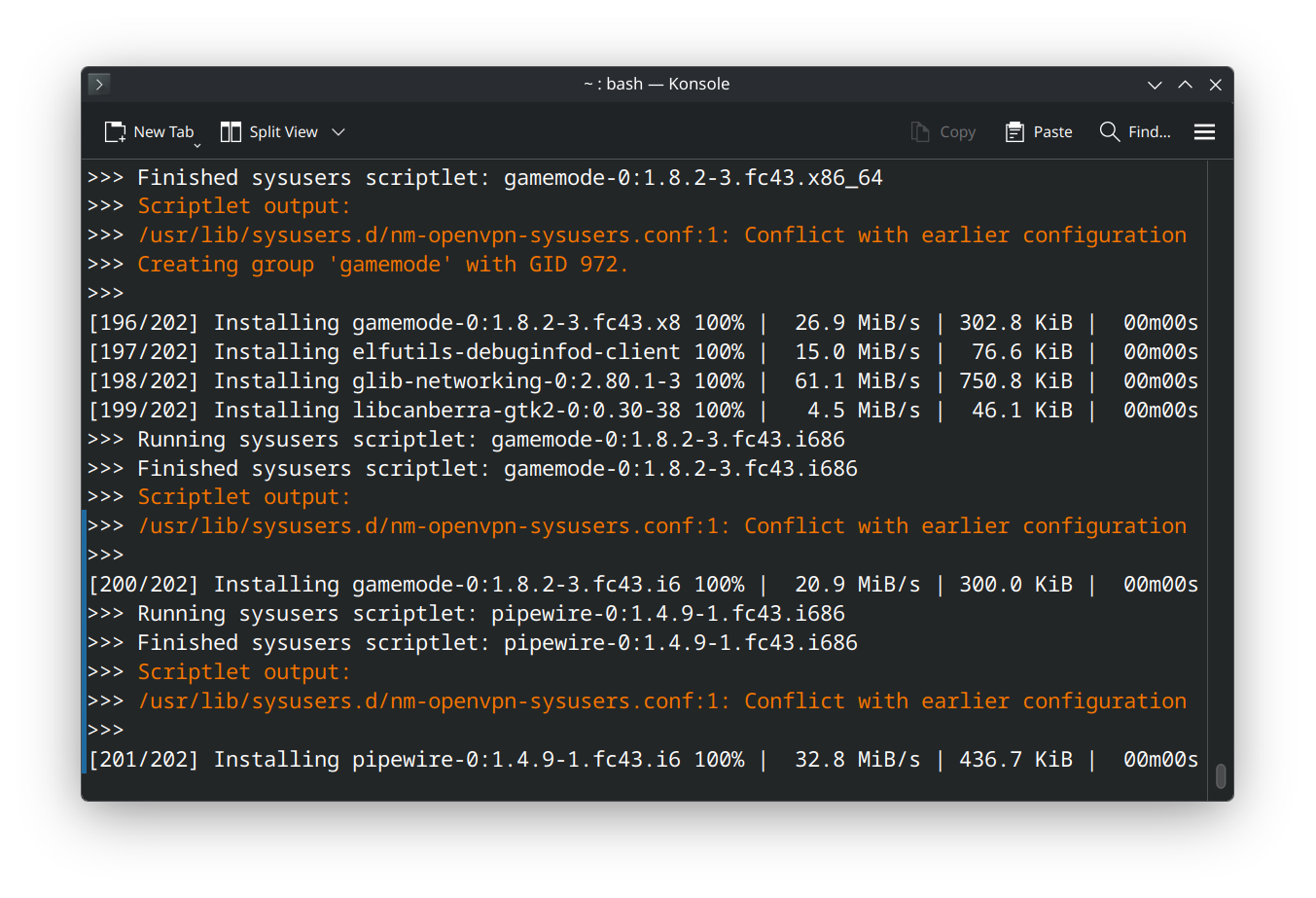
(I am a beginner) So I recently installed a fresh version of Fedora KDE Plasma after switching from GNOME Fedora because my understanding is that gaming is a bit better supported with KDE. (I switched because Cyberpunk wouldnt let me enable HDR even though it was on in GNOME settings and am on the journey of using gamescope and all that with this KDE install)
So the first thing I noticed is Discover absolutely WILL NOT let me download RPM versions of anything Flathub only even though I do have all third party repositories enabled. On GNOME I could just toggle a switch right on the software page to select which version of an application I wanted to install but no such luck here which is a bit of a bummer.
Normally I would use flatpaks but Steams flatpak requires me changing the udev rules for input and I dont think Im ready for all that quite yet so wanted the RPM version which I installed using the official fedora documentation to do so (https://docs.fedoraproject.org/en-US/gaming/proton/) and I did all of that and it did install however I encountered the errors in the pictures above and my questions are:
- Can I just ignore this with no issues to my system?
and
- Is this somehow related to KDE not showing me third party repository options?
Which one would you recommend?