I bought an Optiplex 5040, with an i5-6500TE, and 8 GB DDR3L RAM.
When I bought it, I installed Fedora Server on it. It got stuck every few days but I could never see the error. The services just stopped working, I couldn't ssh into it, and connecting it to a monitor showed a black screen.
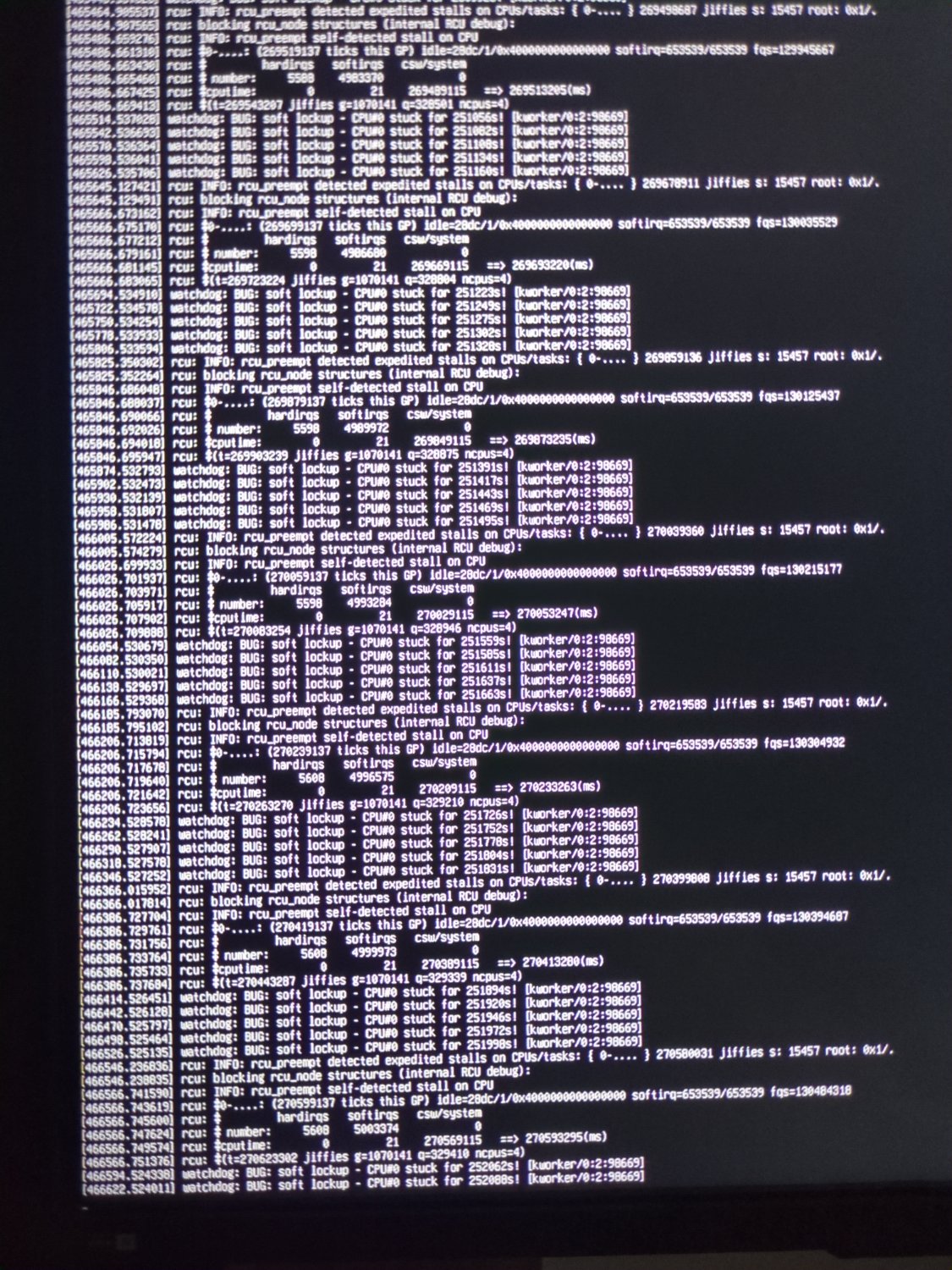
So, I thought let's install Ubuntu Server, maybe Fedora isn't compatible with all of its hardware. The same thing is happening, now, but I can see this error. Even when there's nothing installed on it, no containers, nothing other than base packages, this happens.
I have updated the bios. I have tried setting nouveau.modeset=0 in the grub config file. I have tried disabling and enabling c-states. No luck till now.
Would really appreciate if anyone helps me with this.
UPDATE:
- I cleaned everything and reapplied the thermal paste. I did not see any change in the thermals. It never goes over 55°C even under full load.
- I reset the motherboard by removing that jumper thing.
- I ran
memtest86, which took over 2½ hours. It did not show any errors. - I ran a CPU stress test for over 15 hours, and nothing crashed.
- I also ran the Dell's diagnostic tool, available in the boot menu of the motherboard. The whole test took over 2 hours but did not show any errors. It tested the memory, CPU, fans, storage drives, etc.
Can you
sudo dmesg | grep microcodeand see if you have any errors?If so, I'd be inclined to
sudo dnf reinstall microcode_ctlthen do asudo dracut -fto regenerate the initramfs, and reboot. Be sure to have a working fallback kernel like LTS installed so you can recover if need be.Edit: I just read you changed to Ubuntu. I can't be arsed to figure out how Ubuntu does this stuff so that's on you to figure out. Alternatively, install Arch and use intel-ucode package.