I bought an Optiplex 5040, with an i5-6500TE, and 8 GB DDR3L RAM.
When I bought it, I installed Fedora Server on it. It got stuck every few days but I could never see the error. The services just stopped working, I couldn't ssh into it, and connecting it to a monitor showed a black screen.
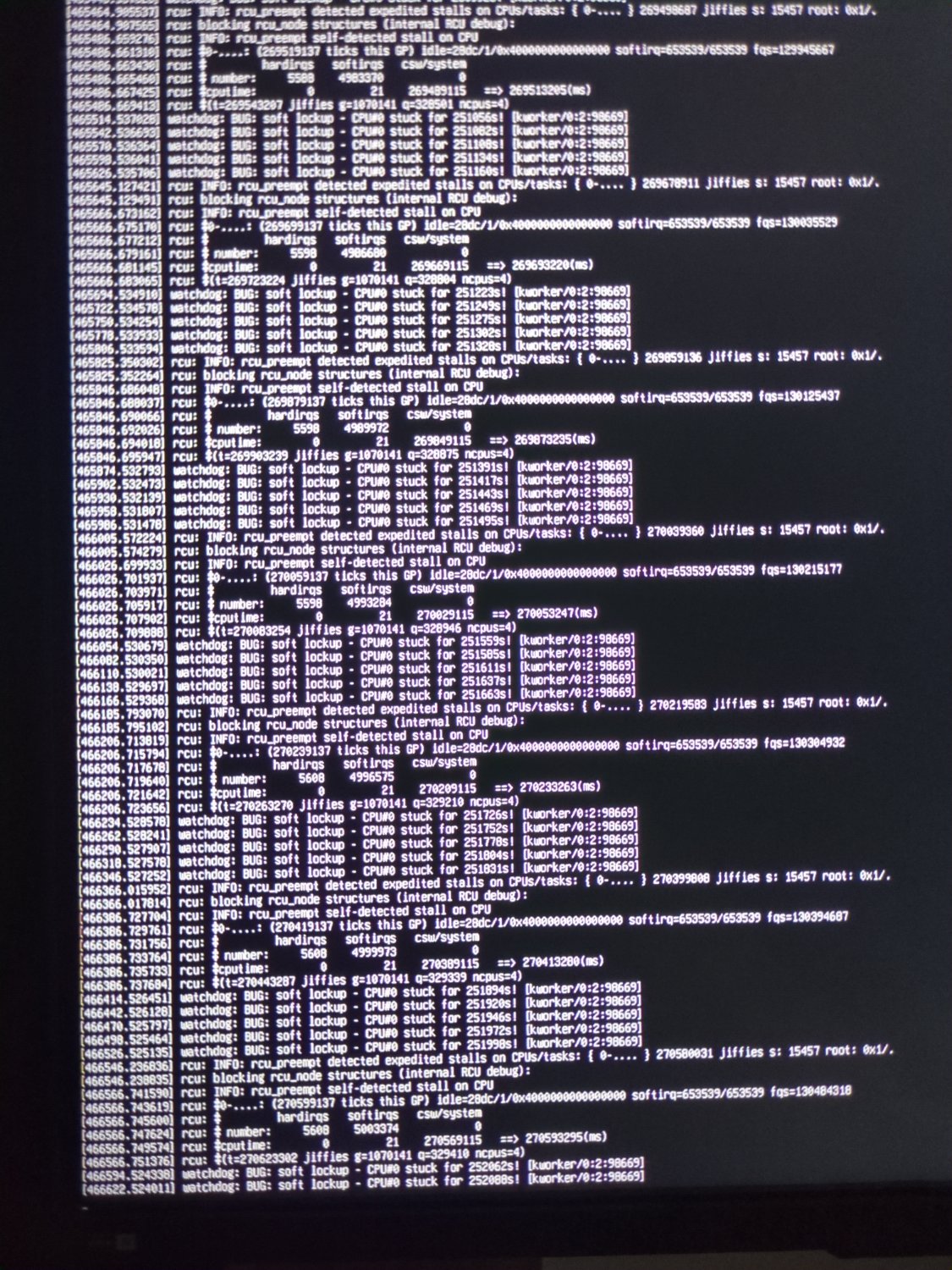
So, I thought let's install Ubuntu Server, maybe Fedora isn't compatible with all of its hardware. The same thing is happening, now, but I can see this error. Even when there's nothing installed on it, no containers, nothing other than base packages, this happens.
I have updated the bios. I have tried setting nouveau.modeset=0 in the grub config file. I have tried disabling and enabling c-states. No luck till now.
Would really appreciate if anyone helps me with this.
UPDATE:
- I cleaned everything and reapplied the thermal paste. I did not see any change in the thermals. It never goes over 55°C even under full load.
- I reset the motherboard by removing that jumper thing.
- I ran
memtest86, which took over 2½ hours. It did not show any errors. - I ran a CPU stress test for over 15 hours, and nothing crashed.
- I also ran the Dell's diagnostic tool, available in the boot menu of the motherboard. The whole test took over 2 hours but did not show any errors. It tested the memory, CPU, fans, storage drives, etc.
What kind of drives do you have in your RAID? Is it SMR?
The boot drive is an SSD, which is not in any RAID. I have another HDD connected via SATA. Another HDD connected via USB.
So 2 HDDs one SATA and one via USB in RAID? Can you remove the RAID drives and test it out?
Also what size are the drives and what's their capacity?
No, they are not in RAID either.
My bad. What are you using the drives for?
Films and shows, via Jellyfin.
Is it just you, any transcoding? Have you tried it without the USB drive?